


Honor has started rolling out its Android 16-based Magicos 10 update for the Magic V5, and now the update has reached our review unit. It weighs around 3.6 GB and comes with a long list of new features.
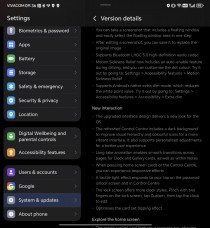
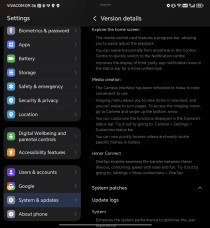
Honor Magic V5 Magiccos 10 Update Chainlog
These include Honor’s latest Turbo X performance engine, better system animations, and camera improvements. The update also brings a refreshed Control Center, updated parallel apps and new lock screen customization options.
Honor Magic V5
The new firmware version C431E3R2P2H1 is booting in a staged order, so it may take a few days to reach all users and regions.
Honor Magic V5 Magicos 10 Update Log:
- The new Turbo X Performance Engine interface makes the optimization visible
- When you swipe to exit or swipe on the home screen, the system can perform parallel operations.
- Improves animation curves for launching or exiting apps, providing a more fluid and comfortable experience
- Optimizes camera performance for smoother use
- Improves typing experience with a more responsive keyboard
- Charging and screen recording are integrated into the Magic Capsule for real-time status viewing and quick access
- AI Screenshot can intelligently learn from your usage scenarios and habits to recommend the services you need, the ones you need.
- You can take a screenshot that includes a floating window and easily select the floating window area in one step
- After editing the screenshot, you can save it to replace the original image
- Bluetooth supports LHDC 5.0 high definition audio codec
- You can take a screenshot that includes a floating window and easily select the floating window area in one step
- After editing the screenshot, you can save it to replace the original image
- Motion sickness relief now includes an auto-enable feature while driving, and you can customize the dot color. Try it by going to: Settings > Accessibility Features > Motion Sickness Relief
- Supports Android’s native extra dimming mode, which lowers the white point value. Try it by going to: Settings > Accessibility Features > Accessibility > Extra dimming
- The upgraded interface design provides a new look for the OS
- The refreshed Control Center includes a dark background to improve visual hierarchy and color icons for a more dynamic interface. It also supports personalization adjustments for a better user experience
- Long Tech animation enables smooth transitions between clock and gallery cards as well as notes as well as pages.
- On pressing the Home screen card or Control Center, you can experience responsive effects
- A tactile light effect responds to your tap on the password unlock screen and in Control Center
- The lock screen offers more clock styles. Pinch the lock screen with two fingers, tap Custom, then tap the clock to edit
- The card set improves the flipping effect
- The media control card features a progress bar, allowing you to easily adjust playback
- You can swipe horizontally from anywhere in the Control Center to quickly go to the Notification Center
- Improves the display of third-party app notification icons in the status bar for a more unified look
- The camera interface has been updated to make it even easier to use
- The imaging menu allows you to view items in two rows, and you can swipe to change pages. To access the imaging menu, go to Camera and swipe the down arrow
- You can customize the functions displayed in the camera status bar. Try it by going to: Camera > Settings > Customize Status Bar
- Now you can quickly browse videos and easily locate specific frames in the gallery
- OnTap enables seamless file transfer between Honor devices, combining speed with ease and fun. Try it by going to: Settings > More Contacts > One Tap
Gentleness
Convenience
New interaction
Explore the home screen
Media Creation
Honor Contact
