

Close Menu
Mobile SpecsMobile Specs

    Subscribe to Updates

    Get the latest creative news from FooBar about art, design and business.

    What's Hot

    Honor Magic 8 Lite Review – gsmarena.com Test

    December 8, 2025

    Google Project Aura hands-on: Android XR’s biggest strength is in apps

    December 8, 2025

    Bussel PowerClean Fur Finder Review: This budget-friendly cordless vacuum is simple yet effective

    December 8, 2025
    Facebook X (Twitter) Instagram
    Mobile SpecsMobile Specs
    • Home
    • 5G Phones
    • Android vs iOS
    • Brands
    • Budget Phones
    • Compare
    • Flagships
    • Gaming Phones
    • New Launches
    Mobile SpecsMobile Specs
    Home»Compare»The OnePlus 15 update enables 165Hz for all three apps
    Compare

    The OnePlus 15 update enables 165Hz for all three apps

    mobile specsBy mobile specsDecember 5, 2025No Comments2 Mins Read
    Share Facebook Twitter Pinterest LinkedIn Tumblr Reddit Telegram Email
    The OnePlus 15 update enables 165Hz for all three apps
    Share
    Facebook Twitter LinkedIn Pinterest Email

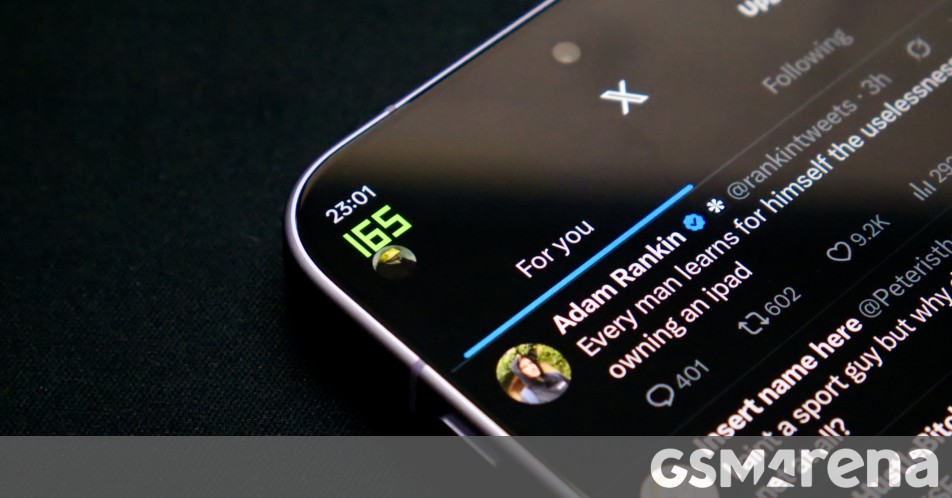
    OnePlus is now rolling out a new update for the recently launched OnePlus 15, which brings with it the usual performance improvements and bug fixes. However, there is one change you won’t see in the update log, which we think is probably the most important.

    Starting with version 16.0.1.305, OnePlus 15 users will be able to access the full 165Hz the display is capable of in three additional apps. This includes WhatsApp, Instagram, and X (formerly Twitter). Previously, this refresh rate was only accessible on a handful of games, with everything else clocked out at 120Hz.

    However, there is a catch. Aside from the fact that it’s only available in these three apps, you also need to enable developer options to access this feature, because that’s where it’s buried. Although there is no danger in activating developer mode and the procedure for doing so is not complicated, it can cause issues with some apps, usually those related to banks, and they may refuse to work until this mode is disabled.

    Moreover, the way this feature is implemented is also strange. Once this mode is enabled you don’t get a dynamic refresh rate in these apps, and the display stays pinned at 165Hz instead of dropping to 1Hz when there’s no activity.

    OnePlus 15 5G

    It’s not clear why OnePlus opted for something more complicated like this. The company could have easily provided an option to enable the full 165Hz in the screen refresh rate setting within the display and brightness menu, which is so hidden that most users still don’t know it’s there. Anyone going down there will already know what they’re getting at with a high refresh rate (and the phone may just show a warning as it happens). And you could also maintain a dynamic refresh rate that way.
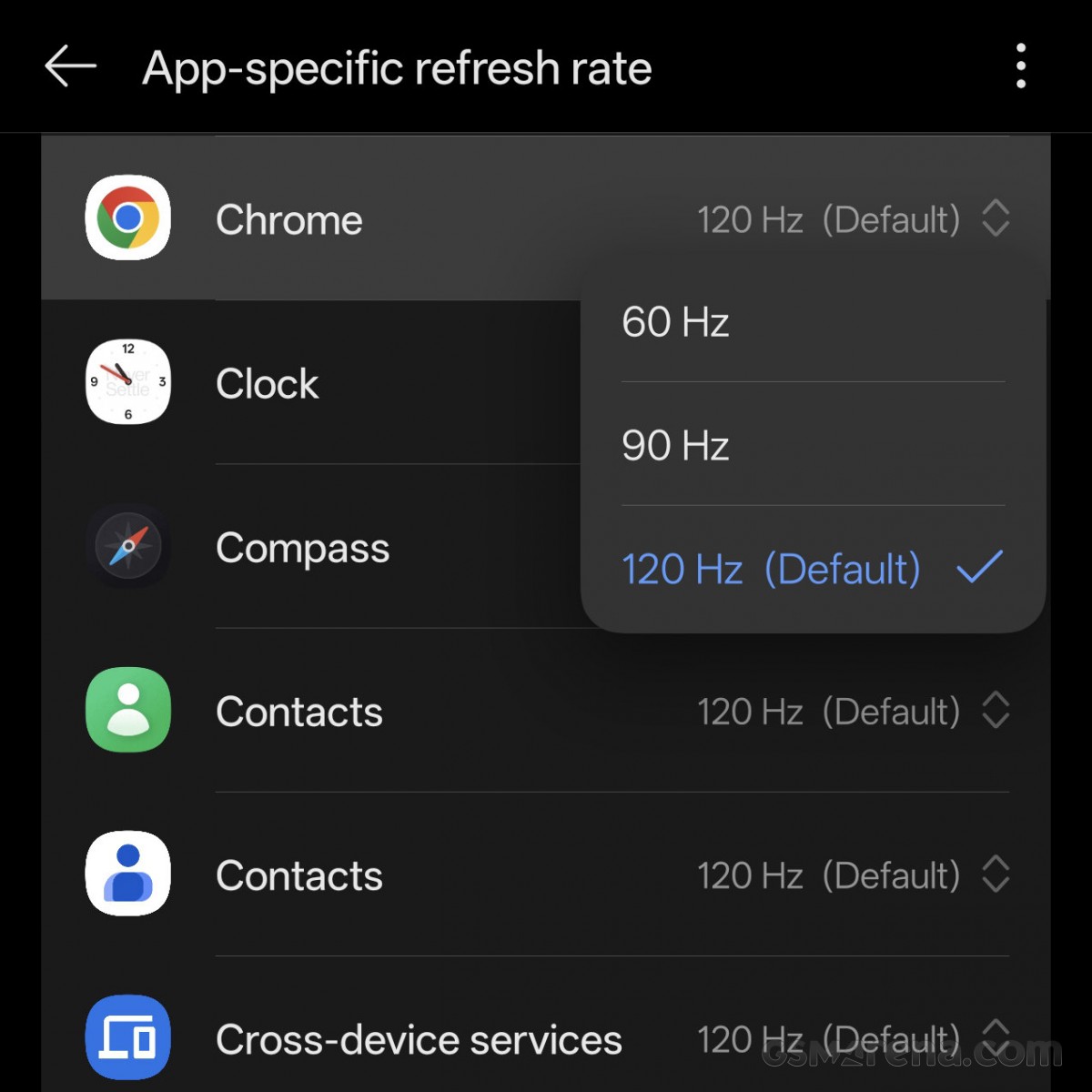
    Why not just use this menu, OnePlus?


    Why not just use this menu, OnePlus?

    There’s also something to be said for making your phone an advertising feature. If a feature is important enough to be marketed to everyone then it should also be available to everyone by default, not through select apps and buried in arcane settings.

    Apart from the refresh rate feature, the update also brings with it the following changes:
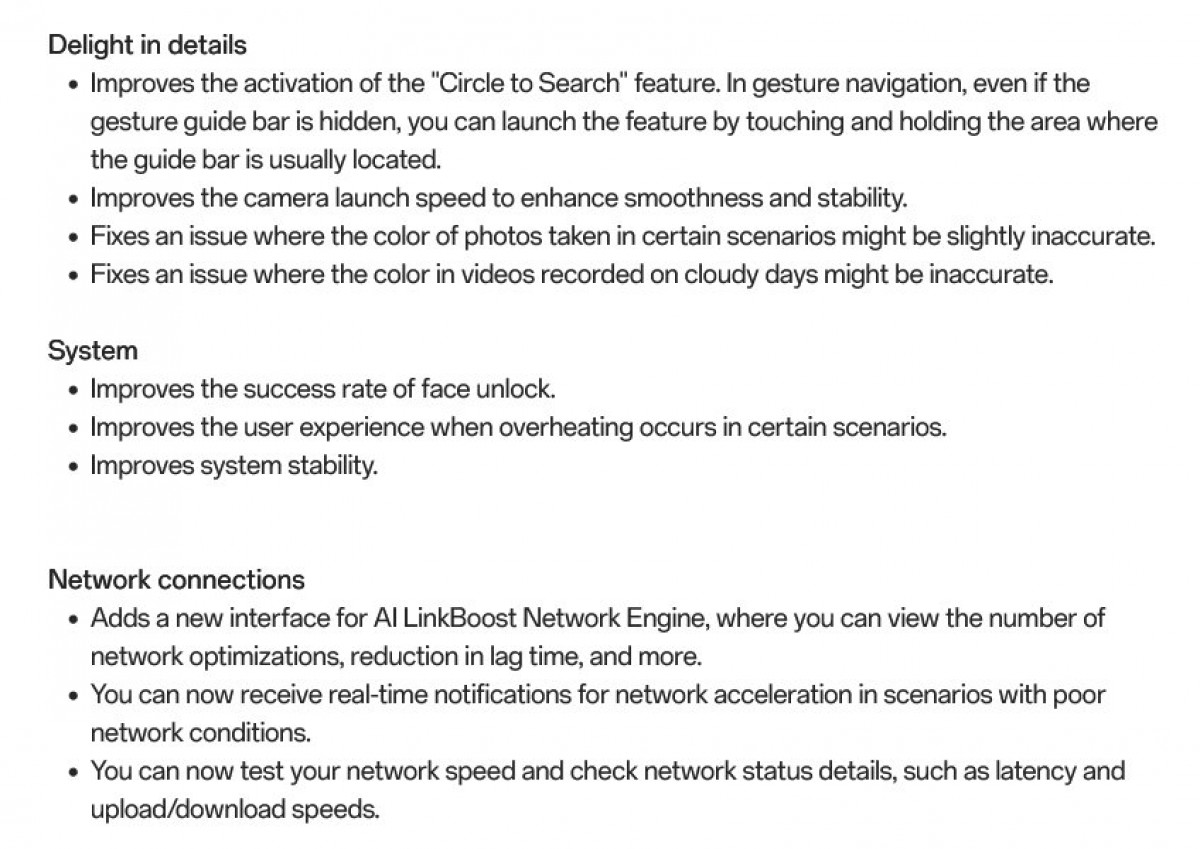
    The OnePlus 15 update enables 165Hz for all three apps

    Version 16.0.1.305 is now rolling out to OnePlus 15 units in India, and should be available in other regions soon.

    165hz apps enables OnePlus update
    Share. Facebook Twitter Pinterest LinkedIn Tumblr Email
    Previous Articlepdffiller review | Techrader
    Next Article Hanomi H2 Pro Office Chair Review
    mobile specs
    • Website

    Related Posts

    Compare

    Honor Magic 8 Lite Review – gsmarena.com Test

    December 8, 2025
    Compare

    Google Project Aura hands-on: Android XR’s biggest strength is in apps

    December 8, 2025
    Compare

    Bussel PowerClean Fur Finder Review: This budget-friendly cordless vacuum is simple yet effective

    December 8, 2025
    Add A Comment
    Leave A Reply Cancel Reply

    Top Posts

    Redmi K90 Pro Max debuts with Snapdragon 8 Elite Gen 5 SoC and a Bose 2.1-channel speaker setup

    October 23, 20255 Views

    GPT5 can be here in this month-there are five features we hope

    July 5, 20254 Views

    Gut Hub spreads about the GPT5 model before the official announcement

    August 7, 20252 Views
    Stay In Touch
    • Facebook
    • YouTube
    • TikTok
    • WhatsApp
    • Twitter
    • Instagram
    Latest Reviews
    Compare

    Honor Magic 8 Lite Review – gsmarena.com Test

    mobile specsDecember 8, 2025
    Compare

    Google Project Aura hands-on: Android XR’s biggest strength is in apps

    mobile specsDecember 8, 2025
    Compare

    Bussel PowerClean Fur Finder Review: This budget-friendly cordless vacuum is simple yet effective

    mobile specsDecember 8, 2025

    Subscribe to Updates

    Get the latest tech news from FooBar about tech, design and biz.

    Most Popular

    Redmi K90 Pro Max debuts with Snapdragon 8 Elite Gen 5 SoC and a Bose 2.1-channel speaker setup

    October 23, 20255 Views

    GPT5 can be here in this month-there are five features we hope

    July 5, 20254 Views

    Gut Hub spreads about the GPT5 model before the official announcement

    August 7, 20252 Views
    Our Picks

    Honor Magic 8 Lite Review – gsmarena.com Test

    December 8, 2025

    Google Project Aura hands-on: Android XR’s biggest strength is in apps

    December 8, 2025

    Bussel PowerClean Fur Finder Review: This budget-friendly cordless vacuum is simple yet effective

    December 8, 2025

    Subscribe to Updates

    Get the latest creative news from FooBar about art, design and business.

    Facebook X (Twitter) Instagram Pinterest
    • About Us
    • Contact Us
    • Privacy Policy
    • Terms & Conditions
    • Disclaimer
    © 2026 MobileSpecs. Designed by Pro.

    Type above and press Enter to search. Press Esc to cancel.